Add Tickets to Trello ✔️
How To Add Cases On Trello:
- Go to https://trello.com/b/yNA8KyDi/email-follow-ups-trello
- In the “Pending case” section click the tree dots -> Add Card …

- If there is a TG number, please write it and put a slash “ / “, if not go to the next step.
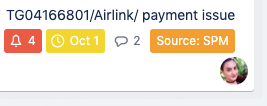
- Next please write the Agency name and again put a slash “ / “, and in short write the topic
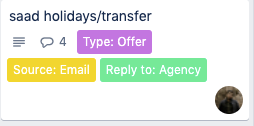
- And click to enter inside the case:
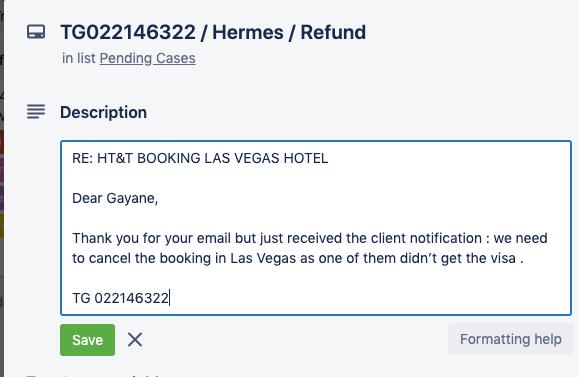
In the “Description” Field please write the email subject, and leave 1-line space and below paste the email body:
- Add the “Due Date” from the right column which should be one of the following:
- The check-in date,
- Its cancellation deadline if the case should be handled before that
- The date when the case should be finished
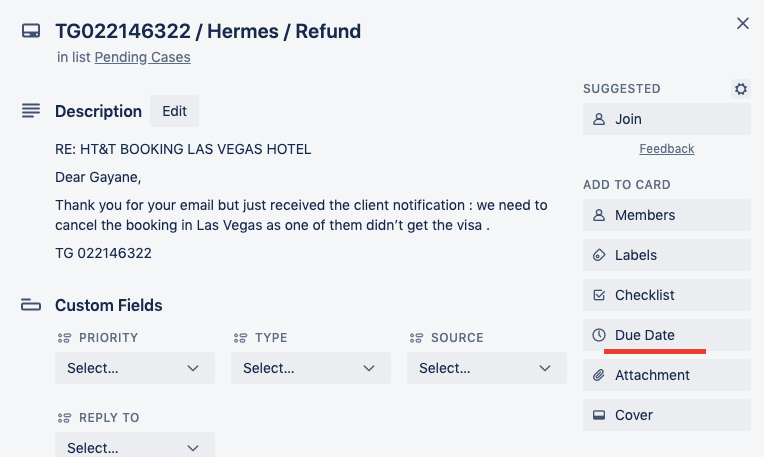
- Add the Custom Fields respectively “Priority, Type, Source, Reply to”
Keep In Touch